Blog

  • ADA Website Compliance Checklist: What Your Business Needs to Know in 2026

    ADA Website Compliance Checklist: What Your Business Needs to Know in 2026

    ADA website compliance means building and maintaining your website so people with disabilities can use it, typically by meeting WCAG 2.1 Level AA, the technical standard courts and regulators now treat as the benchmark. It applies to almost any business with a public-facing website, not just large corporations, and the cost of ignoring it is rising fast: federal website accessibility lawsuits jumped 27% in 2025 alone. Below is a full checklist, the legal background, and exactly what to fix first.

    If you’ve landed here because a customer complained, a lawyer sent a demand letter, or you just want to get ahead of the problem before it happens, you’re not being paranoid. Digital accessibility went from a “nice to have” to one of the fastest-growing sources of legal exposure for small and mid-sized businesses in the U.S., and it’s just as relevant if your business runs primarily through an e-commerce store as it is for a standard brochure site. This guide covers what ADA website compliance actually requires, why it’s suddenly everywhere, and a practical checklist you can start working through today.

    The Americans with Disabilities Act (ADA) was passed in 1990, long before most businesses had websites. It doesn’t mention “websites” anywhere in its original text. But courts have consistently ruled that a business’s website counts as a “place of public accommodation” under Title III of the ADA, the section that applies to private businesses, which means it has to be accessible to people with disabilities the same way a physical storefront does.

    In practice, “ADA website compliance” means:

    • People using screen readers can navigate and understand your content
    • People who can’t use a mouse can operate your site with a keyboard alone
    • People with low vision or color blindness can read your text and distinguish your buttons/links
    • People who are deaf or hard of hearing have captions or transcripts for video/audio content
    • Forms, menus, and interactive elements work with assistive technology

    There’s no single “ADA compliance certificate” you can buy. Instead, compliance is measured against a separate technical standard: WCAG.

    What Is WCAG, and Which Level Do I Need to Meet?

    WCAG (Web Content Accessibility Guidelines) is published by the W3C, the organization that sets core web standards. It’s organized into three conformance levels:

    Level A

    Bare minimum

    Basic accessibility exists at all (e.g., alt text is present).

    Rarely sufficient alone
    Level AA

    The practical standard

    Color contrast, keyboard navigation, form labels, captions.

    ✓ Most businesses – this is the target
    Level AAA

    Strictest level

    Includes things like sign-language interpretation for all video.

    Usually specialized public services only

    WCAG 2.1 Level AA is the standard that matters for you. It’s the exact technical standard the Department of Justice formally adopted for state and local government websites in its 2024 Title II rule, and it’s the standard federal courts overwhelmingly point to when private businesses are sued under Title III even though there’s technically no federal regulation spelling that out for private companies yet. The Department of Justice’s own guidance is direct that Title III covers “almost all types of businesses that serve the public,” regardless of size.

    Person adjusting website accessibility settings on a laptop in a modern office

    Does ADA Website Compliance Apply to My Small Business?

    Short answer: almost certainly yes, if you serve the public online. There’s an important legal distinction worth understanding:

    Title II applies to state and local government websites. It now has a formal, legally binding rule requiring WCAG 2.1 AA, with compliance deadlines of April 26, 2027 for larger public entities and April 26, 2028 for smaller ones.
    Title III applies to private businesses; this is the one that affects you. There’s no single federal regulation spelling out the exact technical requirement, which is part of why the space feels murky. But the ADA statute itself already prohibits discrimination by “public accommodations,” and courts have applied that to commercial websites for years, using WCAG 2.1 AA as the practical benchmark.

    The “readily achievable” standard does scale expectations based on your size and resources; a five-person local business isn’t held to the exact same bar as a national retailer. But “we’re small” is not a legal exemption, and the lawsuit data below shows plaintiffs are targeting small and mid-sized businesses just as often as large ones.

    Why Are ADA Website Lawsuits Rising So Fast?

    This is the part most small business owners haven’t caught up on yet. Federal website accessibility lawsuits under ADA Title III hit 3,117 filings in 2025, a 27% jump from 2024, and the highest total in three years.

    2017
    814
    2018
    2,258
    2019
    2,256
    2020
    2,523
    2021
    2,895
    2022
    3,255
    2023
    2,794
    2024
    2,452
    2025
    3,117

    Source: Seyfarth Shaw, 2026 annual tracking, federal website accessibility lawsuit filings, 2017-2025.

    A few numbers explain why this keeps accelerating:

    36%
    of all federal ADA Title III lawsuits are now website cases – up from 28% a year earlier
    ~70%
    of website accessibility suits target ecommerce sites; over a third of the top 500 online retailers have already been sued
    40%
    of 2025 filings came from self-represented (“pro se”) plaintiffs, up sharply as AI tools make scanning sites trivial
    NY · FL · CA
    account for the largest share of filings, with Illinois and Pennsylvania close behind

    As one industry accessibility firm put it plainly: settling a lawsuit without fixing the underlying issues doesn’t end the exposure; plaintiff firms actively track which businesses paid to settle without remediating, and return.

    What Happens If My Website Isn’t ADA Compliant?

    Most cases resolve through settlement rather than trial. Based on compiled legal data, typical ADA website lawsuit settlements fall in the $5,000–$75,000 range, though costs climb significantly once attorney’s fees, an audit, and remediation work are added on top. In some states, like California, plaintiffs can also seek statutory monetary damages, not just an order to fix the site.

    Repeat exposure: nearly half of all 2025 federal cases involved companies being sued a second time, usually because the first fix was cosmetic (an overlay widget, a quick patch) rather than a real remediation.

    What Are the Most Common ADA Website Compliance Failures?

    If you want to know where to actually start, this is the most useful data available. An analysis of top-visited websites found that a small handful of issues account for the overwhelming majority of accessibility violations:

    Issue % of Sites Affected
    Low color contrast text 79.1%
    Missing image alt text 55.5%
    Missing form input labels 48.2%
    Empty or unlabeled links 45.4%
    Empty or unlabeled buttons 29.6%
    Missing document language tag 15.8%

    Source: WCAGsafe, 2025-2026 lawsuit and audit data.

    These six issues alone account for the large majority of all WCAG failures found in real audits genuinely useful news, because it means most businesses can meaningfully reduce their risk by fixing a short, well-defined list of problems rather than an overwhelming, open-ended one.

    What’s an ADA Website Compliance Checklist I Can Actually Use?

    Team reviewing a website accessibility audit with a laptop and checklist

    Here’s a practical starting checklist, ordered roughly by how common (and how fixable) each issue tends to be:

    Color contrast: Body text should meet at least a 4.5:1 contrast ratio against its background; large text needs at least 3:1.
    Image alt text: Every meaningful image has a written description; purely decorative images are marked so screen readers skip them.
    Form labels: Every input field (name, email, phone, etc.) has a proper <label> tied to it, not just placeholder text.
    Link and button text: Links say where they go (“Read our pricing guide,” not “click here”); buttons are never left blank or icon-only without a label.
    Keyboard navigation: You can Tab through your entire site menus, forms, popups without ever touching a mouse.
    Video captions: All video content has accurate captions; audio-only content has a transcript.
    Heading structure: Headings (H1, H2, H3) follow a logical order and aren’t skipped or used purely for visual styling.
    Document language tag: Your HTML declares the page language (e.g., lang=”en”) so screen readers use the right pronunciation rules.
    Focus indicators: When you Tab to a link or button, there’s a visible outline showing where you are.
    Responsive zoom: Your site remains usable when zoomed to 200%, without text overlapping or cutting off.
    No flashing content: Nothing flashes more than three times per second (a seizure risk under WCAG).
    Dismissible popups: Every popup can be closed with the keyboard (usually Escape), not just a mouse click.

    This list covers the issues responsible for the vast majority of real-world violations, but a full WCAG 2.1 AA audit goes deeper into things like ARIA attributes, dynamic content announcements, and time-based media. If your site handles ecommerce checkout flows or account logins, those areas deserve particular attention, since they combine high lawsuit exposure with real revenue impact if customers with disabilities can’t complete a purchase. Our ecommerce solutions team builds checkout and account flows with this in mind from the start.

    Do Accessibility Overlay Widgets Make My Site ADA Compliant?

    No and this is one of the more expensive mistakes businesses make. Overlay widgets (the small accessibility icon that adds a menu of toggles like “increase text size” or “high contrast mode”) are marketed as instant compliance. Still, they don’t fix the underlying code your screen reader actually interacts with. Regulators have taken notice, too: the FTC ordered an online marketer to pay $1 million over deceptive claims that its AI-based accessibility product could make websites ADA-compliant.

    Overlays aren’t inherently useless as a supplement, but relying on one instead of fixing actual site code is exactly the kind of surface-level fix that leads to repeat lawsuits.

    How Do I Test My Website for ADA Compliance?

    A reasonable testing process combines three layers:

    1 Automated scanning: Free and paid tools (like WAVE or axe DevTools) catch a meaningful chunk of issues instantly, particularly contrast, missing alt text, and missing labels. Automated tools generally catch a minority of total WCAG issues on their own, so treat this as a first pass, not the finish line.
    2 Manual keyboard and screen reader testing: Actually tabbing through your site and testing with a screen reader (like NVDA or VoiceOver) catches the structural and interaction issues automated tools miss.
    3 A professional accessibility audit: For anything customer-facing and revenue-critical (checkout flows, account creation, contact forms), a manual audit from someone who understands both WCAG and how real assistive technology users navigate is worth the investment before, not after, a demand letter arrives.

    Our Web Design & Development service includes a WCAG accessibility assessment as part of our free website audit a practical starting point if you want a clear picture of where your site actually stands.

    How Much Does ADA Website Compliance Cost?

    It depends heavily on your site’s size, platform, and how many issues you’re starting with. A small brochure site with a handful of contrast and alt-text fixes is a very different project from a full ecommerce store with a complex checkout flow. As a general rule, addressing accessibility issues early, as part of routine website maintenance, costs a fraction of a reactive remediation project done under legal pressure after a demand letter arrives.

    If cost is a genuine concern, it’s worth knowing that in the U.S., some small businesses may qualify for the federal Disabled Access Credit (IRS Form 8826), which can offset a portion of accessibility-related expenses worth a conversation with your accountant.

    Frequently Asked Questions

    Is ADA website compliance legally required for small businesses?

    There’s no formal federal regulation spelling out exact technical requirements for private businesses the way there now is for government sites. But the ADA statute itself already prohibits discrimination by “public accommodations,” and courts have consistently applied that to commercial websites, using WCAG 2.1 AA as the practical benchmark regardless of business size.

    What’s the difference between ADA and WCAG?

    The ADA is the U.S. law. WCAG is the technical standard used to measure whether a website meets that law’s accessibility requirement. There’s no such thing as being “WCAG compliant but not ADA compliant” in practice, WCAG 2.1 AA is simply how compliance gets measured.

    Can I get sued even if no one has complained yet?

    Yes. A large share of recent lawsuits come from plaintiffs including a growing number of self-represented, pro se filers who scan sites proactively, sometimes using AI tools, without ever having tried to use the site as a genuine customer first.

    Does having a mobile app instead of a mobile website change anything?

    No. Mobile apps fall under the same accessibility expectations as websites; the 2024 DOJ rule for government entities, for instance, explicitly covers mobile apps alongside web content, and the same WCAG-based standard applies in Title III litigation.

    Will an accessibility overlay widget protect me from a lawsuit?

    Not reliably. Overlays can help in limited ways but don’t fix underlying code issues, and regulators have already taken enforcement action against providers making exaggerated compliance claims. A real fix touches your site’s actual HTML, not just a bolted-on widget.

    How do I know if I’m currently at risk?

    Run your site through an automated scanner as a first pass, then check it against the checklist above. If your site has ecommerce functionality, hasn’t been reviewed for accessibility, and gets meaningful organic or paid traffic, treat it as a real priority rather than a someday task.

    Final Thoughts
    ADA website compliance isn’t a box you check once and forget. It’s an ongoing part of how your site is built and maintained, much like the security and performance maintenance your site needs to stay fast and safe. The good news is that a small number of fixable issues contrast, alt text, form labels, and link text account for the overwhelming majority of real-world violations, which means most businesses can meaningfully reduce their risk without an overwhelming rebuild.

    Want a clear picture of where your website stands?

    TechXaro’s Web Design & Development team includes a WCAG accessibility assessment in every free website audit, so you know exactly what to fix and in what order.
    Get Your Free Website Audit

  • Signs Your Website Needs Urgent Maintenance (Before It Costs You Customers)

    Signs Your Website Needs Urgent Maintenance (Before It Costs You Customers)

    Quick answer: A website needs urgent maintenance when it loads slowly, shows broken links or errors, looks outdated on mobile, or has gone unchecked for security updates. These issues quietly drive customers away and hurt your search rankings, so the fix is a regular maintenance and health check, not just a one-time repair.

    If your website was working fine when it launched, it’s easy to assume it still is. But websites don’t stay healthy on their own. Software updates pile up, links break, competitors redesign, and small glitches turn into real problems, which is exactly why regular maintenance matters so much. Most business owners don’t notice until a customer mentions it, or worse, until sales quietly start slipping. Below are the clearest warning signs it’s time to stop ignoring maintenance and start acting on it.

    1. Your Website Is Slow to Load

    What it means: Pages take several seconds to load, images lag, or the site feels sluggish on mobile data.

    Why it matters: Visitors decide whether to stay or leave within the first few seconds. A slow site doesn’t just frustrate people, it actively pushes them toward a competitor’s page instead.

    How to fix a slow website: Compress large images, remove unused plugins or scripts, enable browser caching, and check your hosting plan can handle your current traffic. If none of that helps, the issue is often deeper in the code and needs a professional review.

    2. Broken Links and Missing Pages

    What it means: Clicking a button, menu item, or old blog link leads to a 404 error or a blank page.

    Why it matters: Broken links look unprofessional and interrupt the customer’s journey right when they’re ready to take action, like reaching your contact form or checkout page.

    Look for: Look for: old product pages left live after a redesign, outdated links to services you no longer offer, or internal links that were never updated after a URL change.

    3. Your Website Isn’t Mobile-Friendly

    What it means: Text is too small, buttons overlap, or the layout breaks on phones and tablets.

    Why it matters: More than half of web traffic now comes from mobile devices. A site that doesn’t adapt properly turns away the majority of your potential visitors before they even see what you offer, a mobile-friendly web design fixes this at the source.

    Look for: Menus that don’t open properly, images that spill off the screen, or forms that are difficult to fill out on a small screen.

    4. Outdated Design and Content

    What it means: Old branding, outdated stock photos, or a layout that looks like it hasn’t changed in years.

    Why it matters: Visitors judge credibility fast. An outdated website makes people question whether your business is still active or trustworthy, even if your service quality hasn’t changed at all.

    🎨 Want your site to look as sharp as your business actually is? TechXaro’s Branding & Creative Design team can refresh your visuals, layout, and brand identity so your website matches the quality of what you deliver. 👉 Explore TechXaro’s Branding & Creative Design Services

    5. Security Warnings or a Missing SSL Certificate

    What it means: Browsers show a “Not Secure” warning, or your site hasn’t been checked for vulnerabilities in a long time.

    Why it matters: Beyond the obvious risk of a hack, an unsecured site damages trust instantly and can even get flagged by Google, which hurts your search engine rankings.

    Website security checklist:

    • SSL certificate installed and active
    • Software, plugins, and themes updated regularly
    • Strong admin passwords and limited user access
    • Regular malware scans
    • Automatic backups in place

    6. Your Search Rankings Are Slipping

    What it means: Pages that used to show up on Google are now harder to find, or your organic traffic is quietly declining.

    Why it matters: Search engines favor sites that are fast, secure, and regularly updated. Neglected maintenance is one of the most common, and most overlooked, reasons rankings drop over time.

    How to Check Website Health

    You don’t need to guess. A basic health check covers:

    • Speed: Test load time using a free tool like Google PageSpeed Insights
    • Security: Confirm your SSL certificate and check for outdated software
    • Links: Scan for broken internal and external links
    • Mobile view: Test your site on an actual phone, not just by resizing a browser window
    • Analytics: Review traffic and bounce rate trends over the last few months

    Running through this list once a quarter will catch most problems long before customers notice them.

    Website Maintenance Checklist

    If you’re ready to take action, here’s a simple starting checklist:

    • [ ] Update all plugins, themes, and software
    • [ ] Test page speed and fix slow-loading pages
    • [ ] Check for and fix broken links
    • [ ] Confirm mobile responsiveness
    • [ ] Verify SSL certificate is active
    • [ ] Run a security and malware scan
    • [ ] Back up the site
    • [ ] Review analytics for unusual drops in traffic

    The Importance of Website Maintenance

    Your website is often the first impression a potential customer has of your business. The importance of website maintenance isn’t just about avoiding technical problems, it’s about protecting the trust, credibility, and revenue that your site is responsible for generating every single day.

    Benefits of Website Maintenance

    • Better user experience: Fast, functional sites keep visitors engaged instead of bouncing away
    • Stronger search rankings: Search engines reward sites that are fast, secure, and consistently updated
    • Improved security: Regular updates close vulnerabilities before they can be exploited
    • Higher conversions: A smooth, professional site builds the trust needed to turn visitors into customers
    • Long-term cost savings: Small fixes now are far cheaper than a full rebuild after something breaks

    Final Thoughts

    A website isn’t a one-time project, it’s an ongoing part of your business that needs regular attention. The good news is that most of these warning signs are easy to catch early, and even easier to fix, before they start costing you real customers.

    🛠️ Not sure where to start? TechXaro’s Maintenance & Support team handles everything from speed fixes and security updates to full website health checks, so your site stays fast, secure, and ready for business. 👉 Get a Free Website Health Check

  • The Ultimate Website Redesign Guide: How to Revamp Your Site Without Losing Customers

    The Ultimate Website Redesign Guide: How to Revamp Your Site Without Losing Customers

    Imagine walking into your favorite local grocery store. You know exactly where the milk is, the staff is friendly, and checkout is a breeze.

    Now imagine walking in the next day to find the store completely changed. The aisles are rearranged, the lights are dim, the sign on the door is gone, and the milk is hidden behind a wall of brooms. You would probably get frustrated, leave empty-handed, and head straight to the competitor down the street.

    This is exactly what happens when a business executes a sloppy website overhaul.

    Your website is your digital storefront. When done right, a fresh look can skyrocket your sales and make your brand look incredible. When done wrong, it can confuse your loyal customers, tank your search rankings, and permanently damage your bottom line.
    Mismanaging your site overhaul can tank your organic traffic by up to 50% and alienate loyal customers overnight. Below is the precise strategy for executing a flawless, revenue-driven revamp.

    Whether you are a small business owner, a marketing student, or a professional designer, this guide will show you how to pull off a flawless website makeover.


    What is a Website Redesign?

    A website redesign is the process of significantly changing your site’s visual appearance, code, navigation structure, and user experience.

    However, do not confuse a total redesign with a simple aesthetic refresh. A true redesign re-engineers how your site functions to drive business growth actively.

    How do you know it is time for a full overhaul? Here are a few telltale signs that your current system is failing you:

    1. Mobile Friction is Costing You Conversions

    More than half of all internet traffic comes from mobile devices. If users have to pinch their screens, zoom in, or struggle to tap tiny buttons just to read your text, you are bleeding revenue every single day.

    2. Your Bounce Rate is Sky-High

    If people open your website and immediately click the “back” button, something is broken. A high bounce rate usually means your site is confusing, visually outdated, or takes too long to load.

    3. Your Business Goals Have Outgrown Your Platform

    Maybe your site was built years ago as a simple blog, but now you want to sell products online. If your current platform cannot support your transaction volume, it is time to transition to high-performance web design & development services to scale properly.
    Is your site currently turning prospective users away? Before changing a single line of code, get a benchmark report.
    Claim Your Free UX & SEO Audit to Uncover Hidden Drop-Off Points

    The Secret Ingredient: Focus on the User Experience (UX)

    The single biggest mistake businesses make during a redesign is focusing exclusively on cosmetics. They demand flashy animations, massive video backgrounds, and complex, artsy layouts.

    But a website is a revenue tool, not a painting. If your visitors cannot locate your contact page or checkout button within 3 seconds, they will leave.

    The 3-Second Rule

    When a user lands on your homepage, they must immediately digest three core pieces of information:

    • What do you do or sell?

    • How does it make their life better?

    • What exact action do they need to take next (e.g., buying a product or booking a call)?

    If your new design buries this information under a mountain of heavy, fancy graphics, your conversion rates will tank.

    The 5-Step Roadmap to Redesign Your Site Without Losing Traffic

    Ready to build a better site? Follow this step-by-step framework to keep your project on track, under budget, and structurally primed to convert.

    Step 1: Benchmark Your Current Metrics

    Before you break anything, you need to know what is currently working. Open your analytics dashboard and document your current monthly visitors, baseline conversion rates, and your highest-performing pages. This gives you a clear data baseline to measure your success post-launch.

    Step 2: Protect Your SEO (Search Engine Optimization)

    This is where most businesses ruin their hard work. If you change the web addresses (URLs) of your pages without telling Google, you will lose your search rankings overnight.

    • Create a URL Map: Document every single old URL on your live site.

    • Set Up 301 Redirects: This explicitly tells search engines that your old page has permanently moved to a new home, preserving your authority. If you are handling complex migrations, integrating professional SEO & digital marketing oversight is mandatory to prevent traffic drops.

    Step 3: Gather Content Before Designing

    Do not design a beautiful layout and then try to awkwardly cram your copy into it. Write your words first. Figure out what messages, value propositions, and headlines you need. Then, design a tailored layout that naturally highlights those words.

    Step 4: Keep Your Branding Consistent

    Your website should feel like an extension of your physical brand. Use the same logo, primary color palettes, and brand voice that you use across your social media and physical packaging. Consistency builds immediate consumer trust, which is why investing in cohesive branding & creative design pays massive long-term dividends.

    Step 5: Test Everything Before Going Live

    Do not just launch the site and hope for the best. Review your staging site on iPhones, Androids, Macs, and PCs. Test every single form field, click every button, and process a test transaction to ensure your custom eCommerce solutions function flawlessly.

    Real-World Examples of Redesign Success and Failure

    Let us look at how design choices directly impact a business’s revenue.

    The Redesign Disaster: Target (2011)

    Years ago, retail giant Target rolled out a massive redesign of its online store. They focused heavily on beautiful, artsy imagery. However, they broke the checkout process, causing the site to crash repeatedly on big shopping days. Customers were furious, and the company lost millions in potential holiday sales because it prioritized looks over function.

    The Redesign Win: A Local Landscaping Company

    Let us look at a smaller, more practical example. A local lawn care business had an old website built in 2015. It featured text-heavy pages and a complicated contact form.

    During their redesign, they simplified the menu, added a bright green button that said “Get a Free Quote in 60 Seconds,” and uploaded real photos of their actual team. Even though their web traffic stayed the same, their incoming phone calls and leads tripled simply because the site removed friction.

    Don’t Guess Your Redesign Strategy

    Let our senior technical architects map out your migration plan so you don’t lose a single keyword ranking.

    Get My Free Migration & UX Blueprint

    Quick Actionable Tips for Your Website Makeover

    • Speed It Up: Compress your large images before uploading them. Slow websites drive customers straight to your competitors.

    • Use Strategic Whitespace: Do not crowd your pages. Leaving blank space around text and images makes your content clean and easy to scan.

    • Make Text Highly Readable: Use high-contrast colors (like black text on a clean white background) and a font size of at least

    Frequently Asked Questions (FAQs)

    1. How much does a website redesign cost?

    The price varies wildly based on complexity. A freelancer or small agency might charge anywhere from $2,000 to $10,000 for a standard business site. Custom enterprise platforms requiring specialized integrations will scale higher based on your functional needs.

    2. How often should a business redesign its website?

    On average, companies update their websites every 2 to 3 years. Technology changes quickly, design trends evolve, and your business goals will grow. For businesses without an in-house team, enrolling in a dedicated website maintenance & support program ensures long-term performance.

    3. Will a redesign hurt my Google rankings?

    It can cause a temporary dip for a few weeks as Google crawls the new page structures. However, if you use proper 301 redirects, optimize your Core Web Vitals, and provide better content, your rankings will ultimately go up.

    Conclusion: Build with Purpose

    A great website redesign is not about chasing the latest tech trends or picking the prettiest colors. It is about removing the friction between your customer and your product. By keeping your layout simple, prioritizing mobile users, and protecting your SEO, you can turn your website into a powerful sales machine.
    Tell Us About Your Next Step

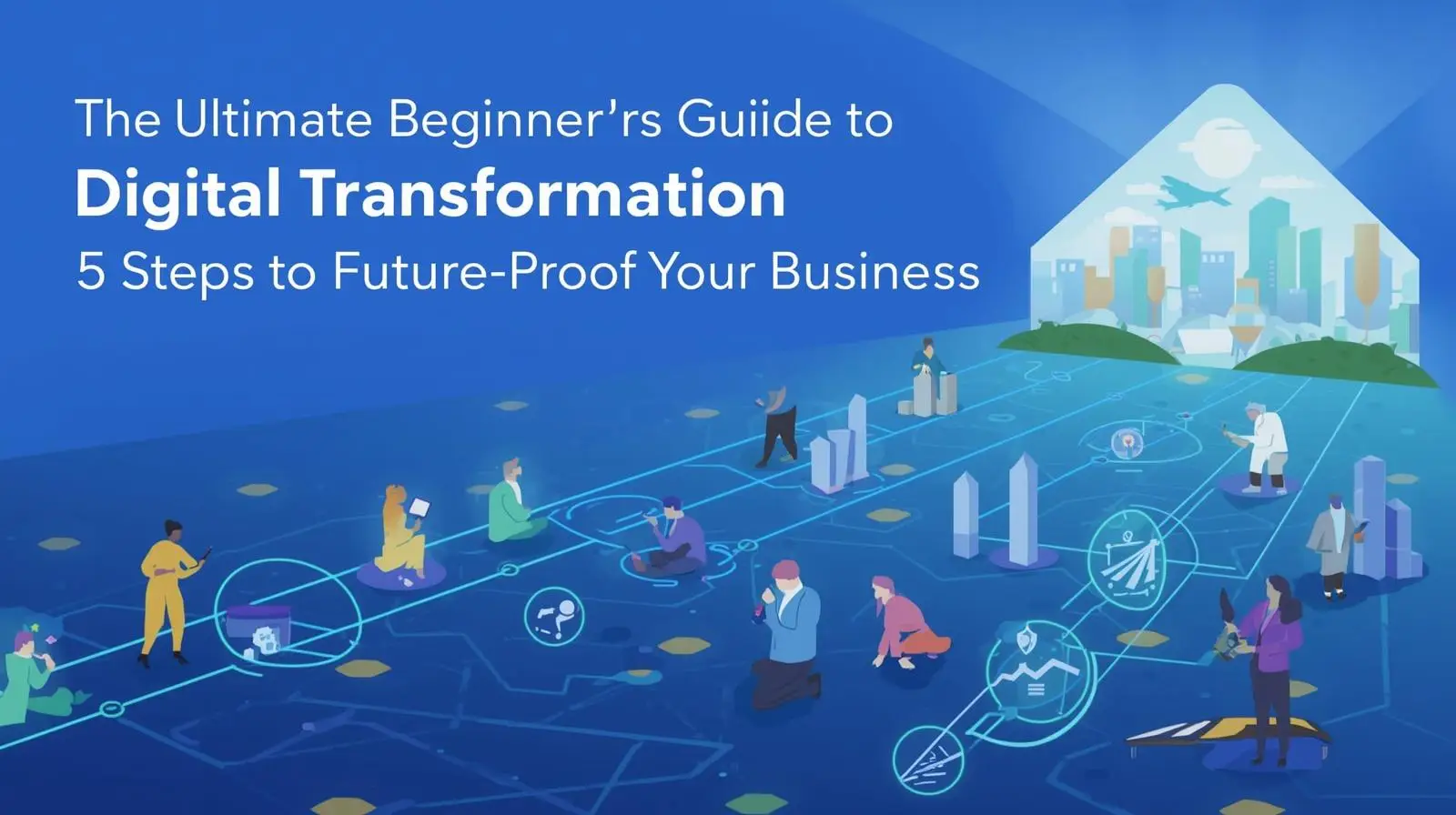
  • The Ultimate Beginner’s Guide to Digital Transformation Strategies: 5 Steps to Future-Proof Your Business

    The Ultimate Beginner’s Guide to Digital Transformation Strategies: 5 Steps to Future-Proof Your Business

    Think back to the last time you rented a movie from a physical store. It has probably been a while. Blockbuster was once the undisputed king of home entertainment, boasting thousands of stores worldwide. But they missed a massive shift in how people wanted to consume media. Netflix came along, embraced the power of the internet, and changed how we watch TV forever. Blockbuster stayed stuck in the past, and we all know how that story ended. That shift is called digital transformation.

    It sounds like a complicated tech buzzword, but it is actually a very simple concept. It is not just for tech giants or Silicon Valley startups anymore. Today, every local bakery, clothing brand, and neighborhood accountant needs a clear digital strategy to survive and thrive.

    Transform Your Business Today: Don’t let your operations fall behind like Blockbuster. Get My Free Growth Strategy Session Now. Let’s build your high-converting online presence. (Zero commitment. 100% actionable data.)

    What is Digital Transformation? (And Why It Isn’t Just About Tech)

    At its core, digital transformation means using modern technology to fundamentally change how a business operates and delivers value to its customers.

    But here is the biggest secret in the business world: digital transformation is not actually about technology. It is about people, culture, and mindset.

    Buying expensive software will not fix a broken business model. True transformation happens when a company changes its culture to constantly challenge the status quo, experiment with new tools, and get comfortable with adapting to change.

    Digitization vs. Digitalization vs. Digital Transformation

    People often mix these three terms up, but they mean very different things. Let us clear up the confusion with a quick, real-world example:

    Digitization: Converting physical information into digital formats.

    Example: Scanning a paper receipt and saving it as a PDF on your computer.

    Digitalization: Using digital data to make your current work faster and easier.

    Example: Uploading that PDF receipt to an accounting app so your finance team can view it online.

    Digital Transformation: Reshaping your entire business model based on technology.

    Example: Setting up an automated system where customers buy online, inventory updates instantly, and an AI tracker handles your taxes without anyone touching a piece of paper.

    Why Outdated Workflows Are Costing Your Business Money

    The business world moves fast. If you do not adapt, you risk becoming obsolete. Global spending on digital transformation is reaching trillions of dollars annually.

    Here is why companies are investing so heavily in going digital:

    1. Modern Customers Expect Instant Gratification

    We live in an era of instant gratification. We expect to track food delivery in real-time, click a button to call a ride, and get instant customer support.

    If your business requires customers to print a form, sign it, and fax it back, they will quickly leave you for a faster competitor. Upgrading your user experience through targeted SEO and digital marketing solutions ensures your brand shows up exactly where your modern customers are looking.

    2. Smarter Decisions Remove the Guesswork

    In the past, business owners had to rely on gut feelings to make big decisions. Today, digital tools gather data on everything from what products sell best on Tuesdays to how long users stay on your website. This data gives you a clear roadmap for growth.

    3. Automated Tasks Create Happier, More Efficient Employees

    Nobody enters the workforce hoping to spend eight hours a day copy-pasting numbers from one spreadsheet to another. Automating boring, repetitive tasks frees up your employees to focus on creative, high-value projects that actually grow the business with custom mobile app development solutions.

    5 Practical Steps to Build a Future Proof Digital Strategy

    Building a strategy can feel overwhelming when you see hundreds of tools available. Let us break it down into five manageable steps that any organization can follow.

    Step 1: Fix Your Culture and Mindset First

    You cannot build a digital business if your team is terrified of change. Leaders must communicate why the change is happening. Show your team how new tools will make their daily work easier, rather than making them feel like their jobs are threatened.

    Step 2: Map the Customer Journey to Eliminate Friction

    Put yourself in your buyer’s shoes. Walk through the exact steps a customer takes to find, choose, and buy from your business.

    Look for friction points. Are there long wait times? Is your website hard to use on a mobile phone? Fix those digital gaps first. If your platform feels outdated, it might be time to review The Ultimate Website Redesign Guide to revamp your site without losing existing customers.

    Step 3: Pick Purpose Driven Tools (Not Just the Shiny Ones)

    Do not buy a tool just because it is trending on social media. Focus on core technologies that solve your specific business problems:

    • Cloud Computing: Storing data online so your team can work securely from anywhere.
    • CRM Systems: Customer Relationship Management tools (like Salesforce or HubSpot) that track all client chats and sales leads.
    • Automation Software: Tools that send automatic email receipts, follow-up messages, or social media posts.

    Step 4: Train and Upskill Your Team

    A million-dollar software system is completely useless if your team does not know how to log in or use its features. Allocate time and budget for hands-on training. Empower your employees to master the new tools, which boosts their confidence and productivity.

    Step 5: Start Small, Then Scale Up

    Do not try to change your entire company overnight. Pick one small, high-impact problem to solve. Once that succeeds and the team sees the benefits, use that momentum to tackle bigger projects like shifting your entire inventory system to the cloud.

    Need Expert Help Scaling Digitally?
    Book Your Free Digital Growth Consultation and discover the fastest way to modernize your business operations.

    How Real Businesses Scaled Using Digital Frameworks

    Domino’s Pizza: The Tech Company That Sells Pizza

    In 2008, Domino’s stock price hit an all-time low. Customers complained about the food quality, and ordering was a hassle. The leadership team decided to completely reinvent the brand as an “e-commerce company that delivers pizza.”

    They created the famous Domino’s Tracker, allowing hungry customers to watch their pizza move from the oven to their doorstep. They made it possible to order via text message, voice assistants, smart TVs, and even smartwatches. Today, the vast majority of their sales come through digital channels.

    Your Local Coffee Shop

    Transformation does not require millions of dollars. Imagine a local coffee shop that used to rely entirely on cash and paper punch cards for customer loyalty.

    By introducing a simple mobile ordering app, customers can now order ahead and skip the morning line. The shop uses an iPad-based checkout system that tracks inventory automatically, letting the owner know exactly when they are running low on ingredients. That is a highly successful digital transformation on a local scale.

    Actionable Tips to Kickstart Your Journey Today

    If you want to kickstart your digital transformation journey today, use these quick tips:

    • Audit your current tools: Make a list of every software your team uses. Eliminate duplicate subscriptions and delete apps that cause confusion.
    • Listen to your frontline staff: The employees who answer customer calls or pack boxes know exactly where the operational bottlenecks are. Ask them what needs fixing.
    • Prioritize cybersecurity: As you move operations online, protecting customer data is your top priority. Use strong passwords, train employees on phishing scams, and turn on two-factor authentication (2FA).

    Frequently Asked Questions (FAQs)

    1. Is digital transformation expensive?

    It can be, but it does not have to be. Small businesses can start with budget-friendly Software-as-a-Service (SaaS) apps that cost a small monthly subscription. The key is starting small and scaling as you grow.

    2. Will digital transformation replace human workers?

    It replaces repetitive, manual tasks, not people. By automating data entry, basic scheduling, or simple sorting, your employees can focus on uniquely human-centric skills like customer empathy, creative design, and strategic problem-solving.

    3. How long does a digital transformation strategy take to implement?

    It is an ongoing journey. Technology changes constantly, so successful companies treat digital transformation as a continuous evolution where they regularly adapt and update their strategies over time.

    4. What is the biggest reason these strategies fail?

    The number one reason is a lack of cultural adoption. If leadership forces new software on a team without proper explanation, training, or cultural support, employees will simply reject the tool and go back to their old, inefficient ways of working.

    Ready to Streamline and Automate Your Business Operations?

    Transforming your business shouldn’t feel overwhelming. We combine technical expertise with real-world marketing results to help you capture targeted search traffic and convert casual visitors into loyal clients.

    To discover how your business can leverage modern digital channels, explore our breakdown on What Is SEO and Digital Marketing and Why Does Your Business Need Both? to align your marketing and operational goals perfectly.

    You can also explore our complete digital transformation services to scale your business with the right technology stack and growth strategy.

    Claim Your Specialized Marketing Consultation

    Take the guesswork out of scaling. Let’s audit your technical growth setup and build a customized roadmap for your brand.

    Claim Your Free Marketing Consultation Today

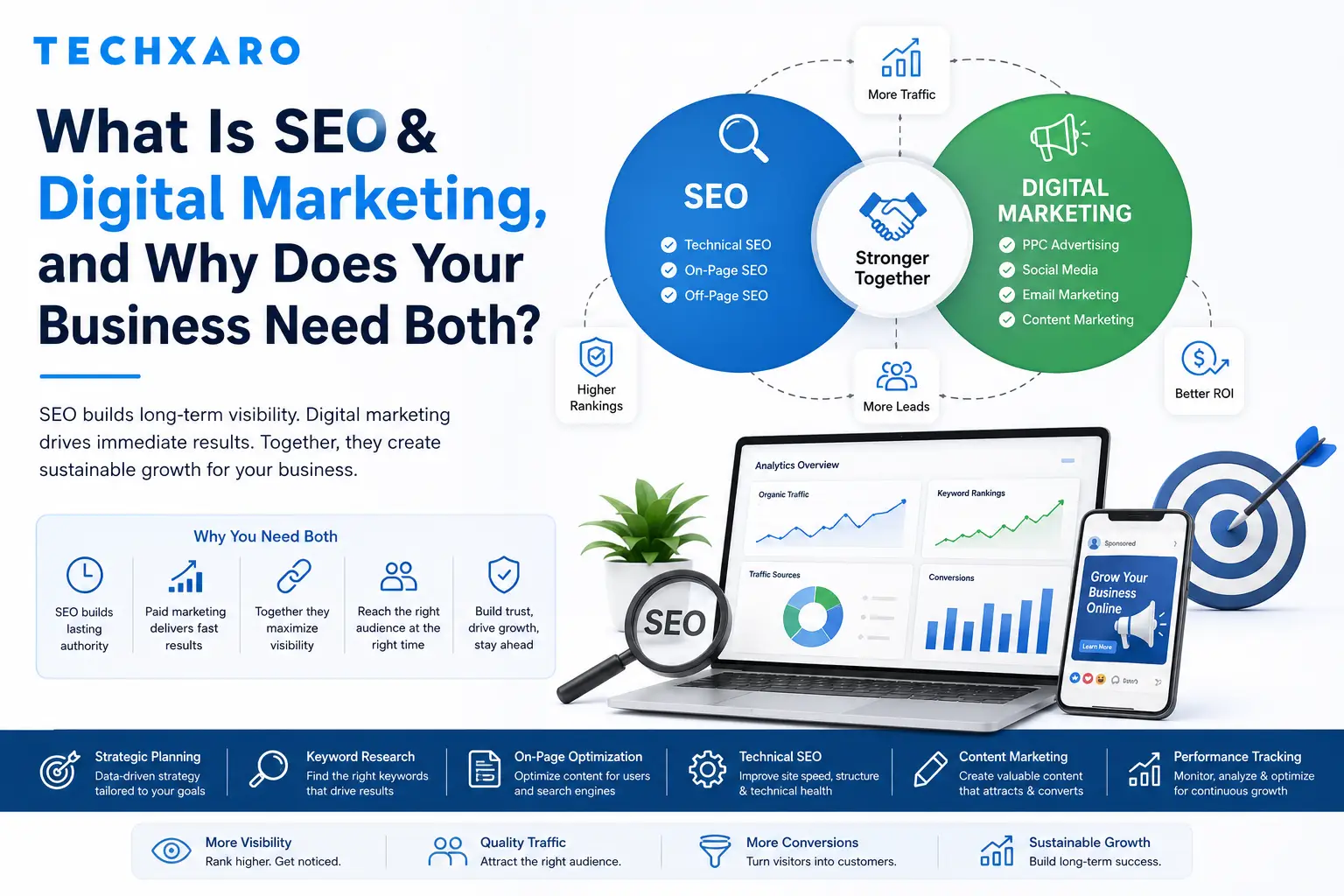
  • What Is SEO & Digital Marketing, and Why Does Your Business Need Both?

    What Is SEO & Digital Marketing, and Why Does Your Business Need Both?

    For most businesses, having a website is no longer enough. Customers don’t just visit a site because they know it exists, they find it through search engines, social media, AI-powered answers, and paid ads. SEO and digital marketing are the two forces that determine whether your business shows up in those moments or stays invisible. This blog breaks down what each of these actually means, how they work together, and why relying on just one is no longer a sustainable growth strategy.

    Stop Guessing Your Growth Strategy

    Is your website losing valuable traffic to competitors right now? Don’t let potential customers pass you by. Explore TechXaro’s integrated SEO & Digital Marketing Services today and claim your Free Growth Strategy Audit to find exactly where your hidden revenue is hiding.

    This comprehensive guide breaks down what each of these strategies actually means, how they work together, and why relying on just one is no longer a sustainable growth plan in today’s competitive landscape.

    What Is SEO?

    SEO, or Search Engine Optimization, is the practice of improving a website so it ranks higher in search engine results for relevant queries. It covers everything from technical site structure and page speed to keyword research, content quality, and backlinks from other reputable websites.

    SEO is a long-term strategy. Rather than paying for visibility, you’re earning it by making your website more relevant, trustworthy, and useful than competing pages. According to Google’s own Search Central documentation, the fundamentals of good SEO haven’t changed much: quality content, clear site structure, and technical accessibility remain at the core of how search engines evaluate websites.

    The Three Pillars of SEO

    Most SEO strategies are built around three core areas:

    • Technical SEO: site speed, mobile-friendliness, indexing, and structured data (schema markup)
    • On-Page SEO: Content quality, keyword targeting, headings, and internal linking
    • Off-Page SEO: Backlinks, brand mentions, and overall domain authority

    What Is Digital Marketing?

    Digital marketing is the broader umbrella that includes SEO, but also extends into paid advertising, social media, email campaigns, and content marketing across multiple channels. While SEO focuses on organic (unpaid) visibility, digital marketing includes both organic and paid strategies working toward the same goal: getting your brand in front of the right audience at the right time.

    Digital marketing channels typically include:

    • Pay-Per-Click (PPC) advertising on Google and social platforms
    • Social media marketing and community management
    • Email marketing and automated nurture campaigns
    • Content marketing across blogs, video, and other formats

    Businesses looking to strengthen online visibility should also explore how digital marketing and SEO drive web traffic for long-term growth.

    How SEO and Digital Marketing Work Together

    SEO and digital marketing aren’t competing strategies; they’re complementary parts of the same growth engine. SEO builds long-term, sustainable visibility, while digital marketing channels like PPC and social media generate faster, more immediate results.

    Factor SEO Digital Marketing (Paid/Social)
    Speed of results Slower (months) Faster (days to weeks)
    Cost over time Lower long-term cost Ongoing ad spend required
    Visibility type Organic, earned Paid or algorithm-driven
    Sustainability Compounds over time Stops when budget stops
    Best for Long-term brand authority Immediate traffic and promotions
    Trust factor Higher (users trust organic results) Lower (perceived as ads)

    When used together, paid campaigns can drive immediate traffic while SEO builds the foundation that keeps generating leads long after a campaign ends.

    Bridge the Gap Between Traffic and Revenue

    Driving traffic is only half the battle converting those visitors into paying customers is where the real revenue happens. At TechXaro, we don’t just build visibility; we build conversion funnels. See how our tailor-made SEO & Digital Marketing Solutions can turn your website into a 24/7 lead-generation machine.

    Get Your Free Conversion Strategy Session

    Why Your Business Needs Both, Not Just One

    Relying Only on SEO Leaves Gaps

    SEO takes time to show results, often three to six months or more before meaningful ranking improvements appear. If your business needs visibility now for a product launch, seasonal promotion, or new market entry SEO alone won’t move fast enough.

    Relying Only on Paid Marketing Is Expensive Long-Term

    Paid ads stop generating traffic the moment you stop paying. Without SEO working in the background, every new customer comes at an ongoing cost, and your business never builds the organic foundation that reduces dependency on ad spend over time.

    Search Itself Is Changing

    Search behavior is shifting beyond traditional Google results. AI-powered tools and generative search experiences are increasingly answering queries directly, which means businesses now need to think about how they’re cited and represented across AI models, not just in traditional search rankings. This emerging discipline, often referred to as AI Engine Optimization (AEO) or Generative Engine Optimization (GEO), is becoming a critical part of modern SEO strategy.

    Discover how businesses are adapting to AI-driven search in the AI era of SEO and digital marketing.

    A Combined Strategy Builds Compounding Growth

    When SEO and digital marketing work together, content created for SEO can be repurposed for social media and email campaigns, paid campaign data reveals which keywords and audiences convert best (informing SEO strategy), and brand visibility across multiple channels reinforces trust signals that search engines use to evaluate authority.

    Building an Integrated SEO & Digital Marketing Strategy

    A strong strategy typically follows a structured path:

    • Audit: Assess your current SEO performance, technical health, and existing marketing channels against competitors.
    • Strategy & Content Planning: Map out content clusters and campaigns based on what your audience is actually searching for.
    • Technical Foundation: Fix site speed, structure, and schema markup so search engines (and AI models) can understand your site clearly.
    • Authority Building: Earn backlinks, mentions, and PR coverage that build long-term domain trust.
    • Paid Amplification: Use PPC and social ads to accelerate visibility while organic strategies mature.
    • Continuous Optimization: Regularly review performance data and adjust based on algorithm changes and audience behavior.

    This is the same integrated approach outlined in TechXaro’s SEO & Digital Marketing Services, which combines technical SEO, AI search visibility, and full-funnel marketing into a single strategy rather than treating each channel in isolation. If your website also needs performance improvements, explore our guide on building a high-performing business website to strengthen your digital foundation.

    Frequently Asked Questions

    Is SEO still relevant with the rise of AI search tools?

    Yes. AI-powered search experiences still rely on well-structured, authoritative content to generate their answers. Strong SEO fundamentals, including clear site structure and quality content, directly influence whether your brand gets cited by AI models, making SEO arguably more important, not less.

    How long does SEO take to show results?

    Most businesses begin seeing measurable improvements within three to six months, though this varies based on competition, industry, and the current state of the website. SEO is a cumulative process; results tend to build and compound over time rather than appearing instantly.

    What’s the difference between SEO and PPC?

    SEO focuses on earning organic rankings through content, technical optimization, and authority building, with no direct cost per click. PPC involves paying for ad placements that appear immediately but stop generating traffic once the budget is exhausted.

    Can a small business benefit from both SEO and digital marketing?

    Yes. Small businesses often benefit the most from a combined approach, using PPC or social ads for immediate visibility while SEO builds a foundation that reduces long-term reliance on advertising costs.

    What is AEO and GEO, and why does it matter?

    AEO (AI Engine Optimization) and GEO (Generative Engine Optimization) refer to optimizing content so it’s accurately represented and cited by AI tools and generative search experiences. As more users get answers directly from AI models, ensuring your brand is recognized as a trusted source becomes an extension of traditional SEO.

    How do I know if my current digital marketing strategy is working?

    Key indicators include organic traffic growth, keyword ranking improvements, conversion rates from paid campaigns, and overall return on ad spend (ROAS). Regular reporting and analysis are essential to understanding which channels are driving real business results.

    Ready to Scale Your Digital Footprint?

    Don’t let a disjointed marketing strategy stall your business growth. Let’s integrate your search visibility, paid amplification, and conversion design into a unified, high-yielding strategy.

    Get Your Free Strategic Consultation & Site Audit Now and work with TechXaro to turn your traffic into measurable revenue.

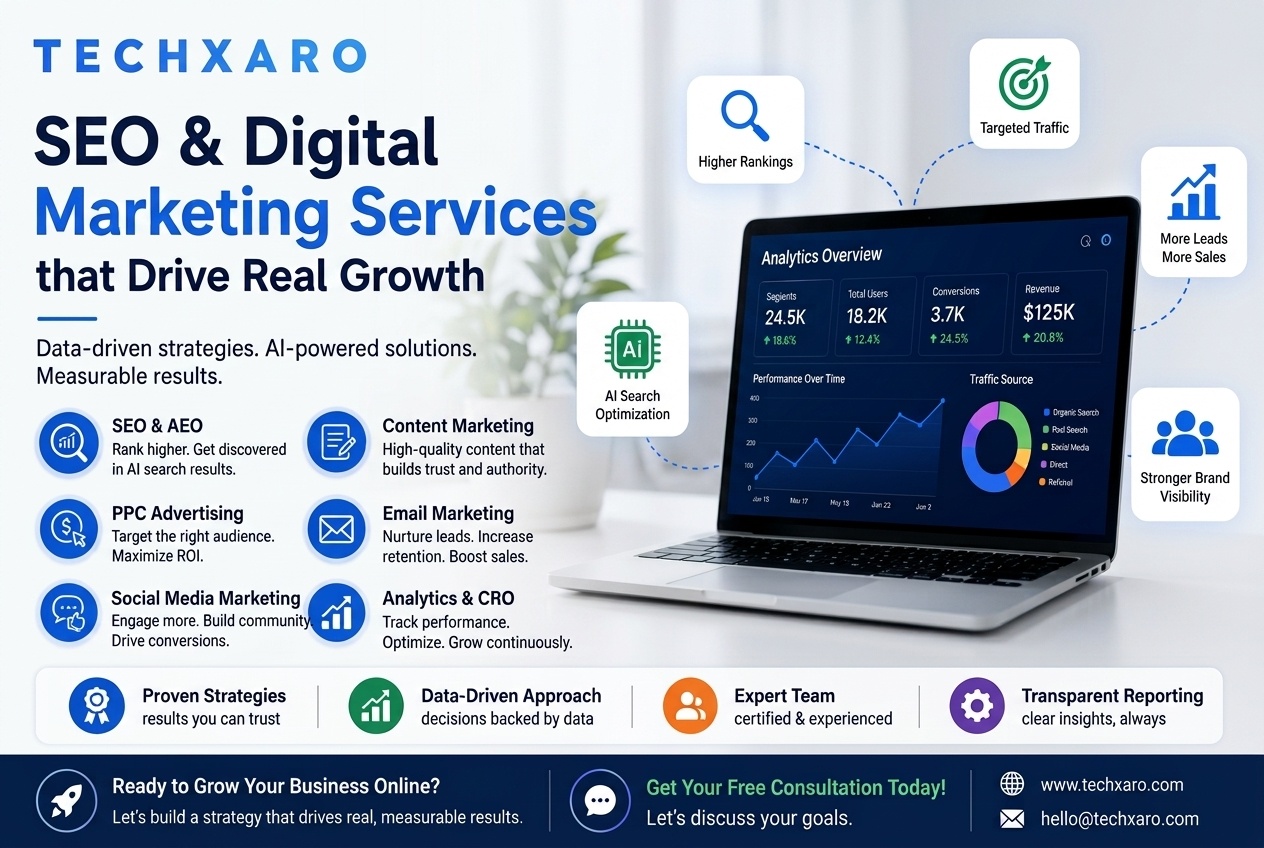
  • SEO & Digital Marketing in the AI Era: What Businesses Need to Know

    SEO & Digital Marketing in the AI Era: What Businesses Need to Know

    The way people search for information online is changing rapidly. Traditional search engine optimization still matters, but it is no longer the whole picture. With AI-powered tools like Google’s Search Generative Experience (SGE) and ChatGPT reshaping how users discover businesses, brands need a more comprehensive, future-ready digital marketing strategy to stay competitive.

    This guide breaks down everything you need to understand about modern SEO and digital marketing: what it includes, why it matters, and how a well-executed strategy can drive real, measurable business growth.

    Is your website losing visibility to AI search engines? Don’t let your competitors capture your traffic. Partner with a team that builds future-proof growth.

    Claim Your Free UX & SEO Audit to Uncover Hidden Drop-Off Points

    What Is SEO and Why Is It Still Critical in 2026?

    Search Engine Optimization (SEO) is the process of improving your website’s visibility in organic (non-paid) search results. When someone searches for a product, service, or answer on Google, SEO determines whether your business appears on page one or gets buried on page five, where almost no one looks.

    Studies consistently show that the top three organic results on Google capture over 50% of all clicks. Businesses that invest in SEO are not just increasing traffic they are capturing high-intent users who are actively looking for what they offer.

    In 2026, effective SEO goes far beyond keyword placement. It now encompasses:

    • Technical site health: page speed, mobile optimization, Core Web Vitals, and crawlability
    • Semantic search: understanding user intent, not just matching keywords
    • Authority building: earning high-quality backlinks from relevant, trusted sources
    • Entity optimization: establishing your brand as a recognized entity in Google’s Knowledge Graph
    • AI search visibility: ensuring your content is cited in generative search results

    The Rise of AI Search: AEO and GEO Explained

    One of the most significant shifts in digital marketing over the past two years is the emergence of AI-powered search engines. Google SGE, Bing Copilot, and tools like ChatGPT and Perplexity are changing the way users get answers, often without ever clicking on a traditional search result.

    This has given rise to two new optimization disciplines that every forward-thinking business should understand:

    Answer Engine Optimization (AEO)

    AEO focuses on structuring your content so that AI-powered answer engines can extract and present it directly in response to user queries. This means using clear, question-and-answer formats, structured data (schema markup), and content that directly addresses specific search intents.

    Generative Engine Optimization (GEO)

    GEO goes a step further it focuses on making your brand the cited source when AI models generate answers. Businesses that invest in GEO are building brand authority that extends beyond traditional search rankings into the AI-generated answers users see every day. Brands that ignore AEO and GEO today risk becoming invisible in the AI search landscape that is rapidly becoming the default way people discover information online.

    Core Components of a Complete Digital Marketing Strategy

    Effective digital optimization is not a single tactic; it is an integrated system where every channel works together to attract, engage, and convert your target audience. Here are the key components every business should have in place:

    1. Advanced On-Page and Technical SEO

    The foundation of any digital marketing strategy starts with a technically sound website. This includes fixing crawl errors, optimizing page load speeds, implementing proper heading structures, and ensuring your site is fully mobile-friendly. Without this foundation, even the best content will struggle to rank. For a deep dive into building an optimized foundation, check out our comprehensive guide to building a high-performing business website.

    2. Content Marketing

    High-quality content is what earns you authority—both with search engines and with your audience. A strong content strategy includes blog posts that target specific search intents, pillar pages that establish topical authority, and landing pages optimized for conversions. If you’re looking to elevate your messaging, mastering the essential pillars of what is content writing is the best place to start.

    3. Performance Marketing (PPC)

    While SEO builds long-term organic growth, Pay-Per-Click advertising delivers immediate results. Platforms like Google Ads, Meta Ads (Facebook and Instagram), LinkedIn, and YouTube allow businesses to target specific audiences with precision and drive traffic and conversions quickly. Melding this with strategic SEO and digital marketing solutions ensures complete coverage across the entire search engine results page (SERP).

    4. Social Media Marketing

    Social media platforms are no longer just brand awareness channels they are full-funnel marketing ecosystems. A well-executed social media strategy builds community, drives engagement, and directly generates leads and sales through organic content and targeted paid campaigns.

    5. Email Marketing and Lead Nurturing

    Email marketing remains one of the highest-ROI digital channels available, with an average return of $36 for every $1 spent. Automated email sequences allow businesses to nurture leads from initial awareness through to purchase, delivering the right message at the right stage of the buyer journey without manual effort.

    6. Analytics and Conversion Rate Optimization (CRO)

    Data is the backbone of effective digital marketing. Without proper tracking and analytics, you are operating blind. Businesses that invest in proper conversion rate optimization—testing landing pages, CTAs, and user flows—consistently outperform those that simply drive traffic without measuring what happens next. This data architecture becomes especially critical when planning an overarching digital transformation strategy to future-proof your workflows.

    Advanced Digital Marketing Tactics for 2026

    Beyond the core channels, several advanced tactics separate high-performing digital marketing strategies from average ones:

    • Omni-channel consistency: Ensuring your brand message is unified across search, social, email, and paid channels for a seamless user experience.
    • Schema markup and structured data: Helping search engines understand your content with precision—critical for featured snippets and AI search citations.
    • Zero-click optimization: Capturing SERP real estate through featured snippets, knowledge panels, and People Also Ask boxes to build authority. Learn exactly how digital marketing and seo drive web traffic to understand this dynamic.
    • Semantic link building: Building topical authority through niche-relevant, contextually appropriate backlinks rather than generic links.
    • LLM visibility monitoring: Tracking how AI language models reference and recommend your brand in generative search responses.

    What Does a Successful Digital Marketing Process Look Like?

    Businesses that consistently achieve strong digital marketing results typically follow a structured, data-driven process:

    Step 1: Audit & Analysis – A thorough review of your current SEO performance, content gaps, technical issues, competitor landscape, and paid advertising performance.

    Step 2: Strategy Development – Building a custom roadmap that identifies which channels, content clusters, and campaigns will deliver the fastest and most sustainable ROI for your specific business.

    Step 3: Technical Foundation – Resolving all technical SEO issues and optimizing your site’s architecture before investing heavily in content or paid campaigns. If your platform is aging, you may need a clean blueprint like our ultimate website redesign guide to preserve your hard-earned rankings.

    Step 4: Content and Campaign Execution – Creating and publishing high-quality content while launching targeted paid campaigns across the appropriate channels.

    Step 5: Authority and Link Building – Building topical authority through strategic link acquisition, digital PR, and brand mentions across relevant platforms.

    Step 6: Measurement and Re-Optimization – Continuously tracking performance data, identifying what is working, and reallocating resources to the highest-performing channels.

    How to Know If Your Business Needs a Digital Marketing Partner

    Many businesses reach a point where managing digital marketing in-house is no longer enough to stay competitive. Here are the signs it may be time to work with a specialist:

    • Your website traffic has plateaued or is declining despite ongoing content efforts.
    • You are investing in paid ads but not seeing a clear, positive return on spend.
    • Your competitors are appearing in AI-generated search results and your brand is not.
    • You lack a unified strategy across SEO, content, social, and paid channels.
    • You are generating traffic but struggling to convert visitors into leads or customers.
    • Algorithm updates are regularly affecting your rankings with no clear recovery path.
    • You want to future-proof your digital presence against AI-driven search disruption.

    Ready to Build a Future-Proof Digital Marketing Strategy?

    Understanding SEO and digital marketing is the first step—but executing a comprehensive, integrated strategy that delivers consistent, compounding results requires expertise, the right tools, and a deep understanding of where search is heading next.

    At TechXaro, we specialize in full-funnel SEO & digital marketing solutions built for the AI era from advanced technical SEO and AEO/GEO optimization to high-ROAS paid campaigns and content strategies that drive long-term organic growth. Our approach is data-driven, fully integrated, and designed to deliver measurable results, not just reports.

    Stop Guessing Your Digital Growth Strategy. Start Scaling.

    Schedule a direct consultation call with our growth strategists. We’ll analyze your current site performance, spot hidden technical drop-offs, and design an actionable execution blueprint.

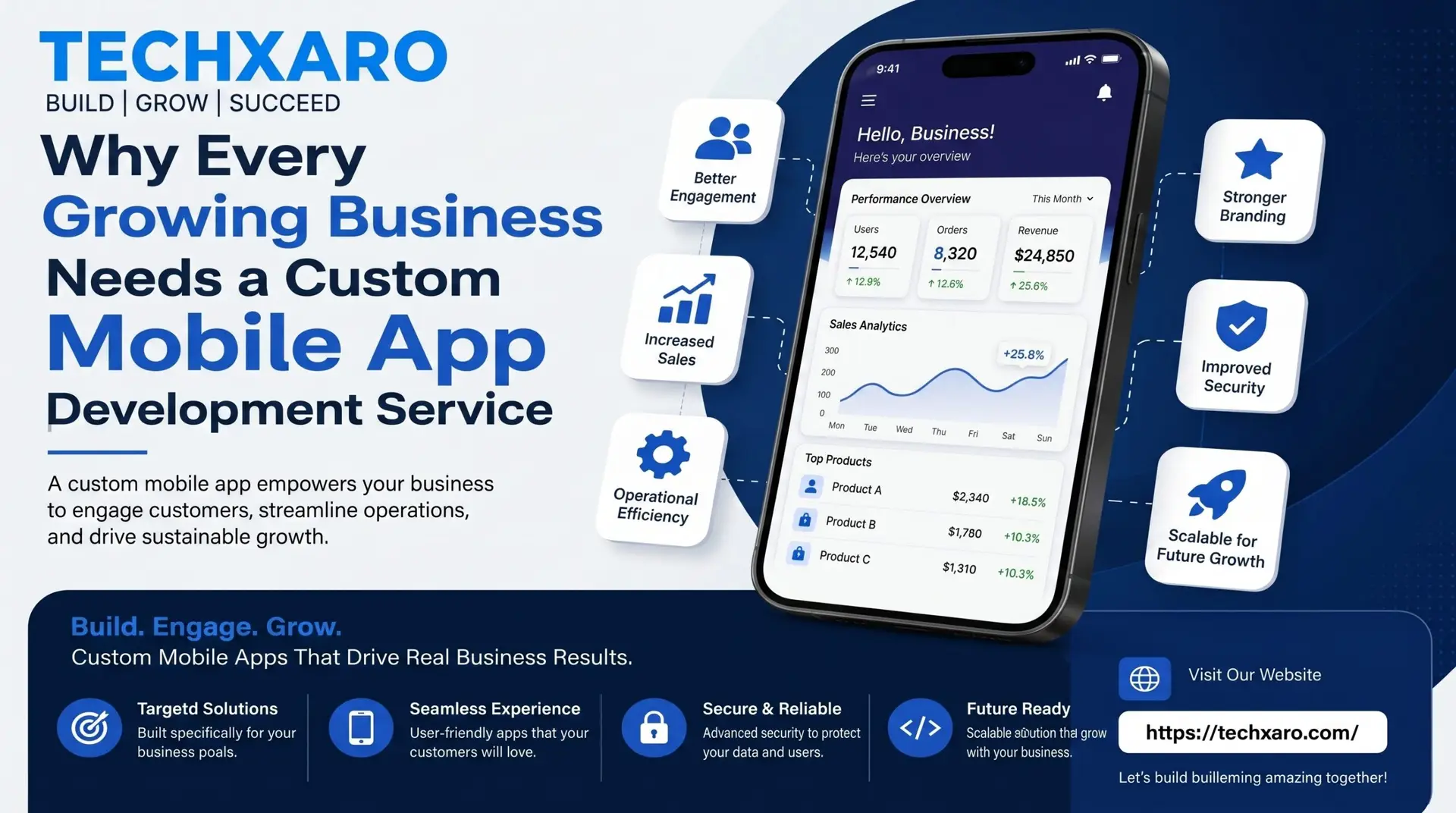
  • Why Every Growing Business Needs a Custom Mobile App Development Service

    Why Every Growing Business Needs a Custom Mobile App Development Service

    In today’s digital marketplace, businesses are constantly searching for new ways to engage customers, improve operational efficiency, and stay ahead of competitors. One of the most effective ways to achieve these goals is through a custom mobile application. The purpose of this blog is to explain why investing in a Custom Mobile App Development Service has become essential for growing businesses. From improving customer experience to increasing brand visibility and revenue, a custom mobile app can provide long-term benefits that support sustainable business growth.

    Have a groundbreaking app idea or need to mobilize your business workflows? Don’t leave your technical architecture to chance. Get a clear execution roadmap from day one.
    Claim Your Free App Architecture & Discovery Consultation Call

    What Is Custom Mobile App Development?

    Custom mobile app development is the process of designing and building a mobile application specifically tailored to a business’s unique needs, goals, and target audience. Unlike off-the-shelf solutions, custom apps are created with personalized features, branding, and functionality.

    Businesses can develop custom applications for:

    • Customer engagement
    • Online shopping
    • Appointment scheduling
    • Internal operations
    • Employee management
    • Customer support

    A customized solution ensures the app aligns perfectly with business objectives and user expectations. Businesses planning digital expansion can also explore digital transformation strategies to future-proof long-term growth.

    Why Mobile Apps Matter More Than Ever

    Smartphones have become a central part of everyday life. Consumers use mobile devices for shopping, communication, entertainment, banking, and business interactions.

    Key Mobile Usage Statistics

    • Over 6 billion smartphone users worldwide.
    • Mobile devices generate the majority of internet traffic globally.
    • Consumers spend several hours daily using mobile applications.
    • Mobile commerce continues to grow year after year.

    These trends demonstrate why businesses must establish a strong mobile presence to remain competitive. Pairing mobile technology with SEO & Digital Marketing Services helps businesses maximize visibility and user acquisition.

    Benefits of Custom Mobile App Development for Growing Businesses

    Enhanced Customer Engagement

    A mobile app creates a direct communication channel between businesses and customers. Features such as push notifications, in-app messaging, and personalized offers help keep users engaged.

    Benefits include:

    • Instant customer communication
    • Personalized experiences
    • Improved customer satisfaction
    • Higher interaction rates

    The easier it is for customers to engage with your brand, the stronger your customer relationships become. Businesses focusing on user experience should also read about why user-centered design matters in mobile app development.

    Improved Brand Visibility

    A custom mobile app places your brand directly on customers’ devices. Every time users unlock their phones, they see your app icon, increasing brand recognition.

    Advantages include:

    • Increased brand awareness
    • Stronger customer recall
    • Better customer loyalty
    • Continuous brand exposure

    This constant visibility helps businesses remain top-of-mind among their target audience. Strong branding combined with
    Creative design services can further improve customer recognition and trust.

    Increased Customer Retention

    Retaining existing customers is often more cost-effective than acquiring new ones. Mobile apps encourage repeat interactions through loyalty programs, rewards systems, and personalized experiences.

    Popular retention features include:

    • Reward points
    • Membership programs
    • Exclusive offers
    • Personalized recommendations

    These features motivate customers to continue engaging with your business over time.

    Higher Sales and Revenue

    A mobile app simplifies the buying process by providing customers with convenient access to products and services. Faster navigation and secure payment options can significantly improve conversion rates.

    Revenue-driving features include:

    • One-click purchases
    • Mobile payment integration
    • Personalized product suggestions
    • Promotional campaigns

    A seamless mobile experience often leads to increased sales opportunities. Businesses with online stores can benefit from
    eCommerce solutionsnthat integrate directly with mobile applications.

    Want to Turn Your App Into a Revenue Machine?
    Get Your Free Mobile Growth Strategy Session

    Custom Apps vs Generic App Solutions

    Many businesses initially consider ready-made applications because they appear more affordable. However, custom mobile apps offer significantly greater flexibility and long-term value.

    Feature Custom Mobile App Generic App Solution
    Unique Branding Yes Limited
    Custom Features Fully Customized Restricted
    Scalability High Limited
    Security Enhanced Standard
    Third-Party Integration Flexible Limited
    Long-Term Growth Support Excellent Moderate

    Custom applications allow businesses to adapt quickly as customer needs and market demands evolve. Learn more about
    steps to build a successful mobile application before starting development.

    Better Customer Experience Through Personalization

    Modern consumers expect personalized experiences. Custom mobile apps allow businesses to deliver tailored content based on user behavior and preferences.

    Personalization Features

    User Profiles

    User profiles allow mobile apps to store customer preferences, browsing history, and past purchases. This information helps businesses provide a more personalized experience for each user. As a result, customers can access relevant content and services more quickly.

    Customized Recommendations

    Custom mobile apps can analyze user behavior to suggest products or services that match individual interests. Personalized recommendations improve the customer experience by making it easier to discover relevant options. This often leads to higher engagement and increased sales.

    Location-Based Services

    Location-based features enable businesses to deliver promotions, offers, and information based on a user’s geographic location. This makes marketing efforts more relevant and timely. Customers benefit from receiving content that is useful to their specific area.

    Personalized Notifications

    Personalized notifications allow businesses to send targeted messages based on customer preferences and activities. These notifications can include special offers, reminders, or important updates. Relevant messaging helps increase user engagement and encourages repeat interactions with the app.

    Operational Efficiency and Business Automation

    Mobile applications do more than serve customers. They also help businesses streamline internal operations. Companies investing in website maintenance and support services can maintain better performance and operational stability.

    Examples of Business Automation

    Appointment Scheduling

    Mobile apps can automate appointment bookings by allowing customers to select available time slots without manual assistance. This reduces scheduling conflicts and saves time for both customers and staff. Automated reminders can also help minimize missed appointments.

    Employee Communication

    Custom mobile apps improve communication by providing a centralized platform for updates, announcements, and team collaboration. Employees can receive real-time information and stay connected regardless of their location. This helps improve coordination and workplace efficiency.

    Inventory Management

    Mobile apps can track inventory levels in real time, helping businesses monitor stock availability and reduce errors. Automated inventory updates make it easier to manage products and prevent overstocking or shortages. This improves operational efficiency and decision-making.

    Customer Support Systems

    Apps can automate customer support through chatbots, ticketing systems, and self-service features. Customers can quickly find answers to common questions without waiting for assistance. This improves response times and enhances the overall customer experience.

    Order Tracking

    Order tracking features allow customers to monitor the status of their purchases in real time. Businesses can automatically provide shipping updates and delivery notifications through the app. This increases transparency, improves customer satisfaction, and reduces support inquiries.

    Automation Reduces Manual Tasks, Improves Productivity, and Minimizes Human Error

    Business automation eliminates many repetitive tasks that would otherwise require manual effort. By reducing human involvement in routine processes, businesses can improve accuracy, save time, and increase overall productivity. This allows employees to focus on more important tasks that contribute to business growth.

    Competitive Advantage in the Digital Marketplace

    Many businesses still rely solely on websites. A custom mobile app can help your company stand out from competitors by offering additional convenience and functionality.

    Competitive Benefits

    • Faster customer interactions
    • Better accessibility
    • Stronger brand positioning
    • Enhanced customer loyalty
    • Improved service delivery

    A well-designed app demonstrates innovation and commitment to customer experience. Businesses should also focus on building a high-performing business website to strengthen overall digital presence.

    Security and Data Protection

    Security is a major concern for both businesses and customers. Custom mobile app development allows organizations to implement advanced security measures tailored to their specific requirements.

    Security Features

    • Data encryption
    • Secure authentication
    • Multi-factor authentication
    • Secure payment processing
    • User access controls

    Strong security builds customer trust and protects sensitive information.

    Integration with Existing Business Systems

    Custom apps can seamlessly integrate with existing business tools and software.

    Common Integrations

    • CRM systems
    • ERP software
    • Payment gateways
    • Marketing automation tools
    • Customer support platforms

    Integration improves workflow efficiency and provides a unified business ecosystem. Businesses expanding online sales can also review eCommerce solutions for online business growth.

    Scalability for Future Growth

    As businesses grow, their technology requirements evolve. A custom mobile app can be expanded with additional features and functionality without requiring a complete rebuild.

    Scalable Features

    • New service offerings
    • Expanded user capacity
    • Additional payment methods
    • Advanced analytics
    • Multi-language support

    Scalability ensures your investment continues to deliver value as your business expands.

    Choosing the Right Custom Mobile App Development Service

    Selecting the right development partner is crucial for project success. Factors to Consider

    Industry Experience

    Choose a mobile app development company that has experience working with businesses in your industry. An experienced team understands industry-specific challenges and can provide solutions that align with your business goals. Their expertise often leads to better app performance and user satisfaction.

    Technical Skills

    A reliable development partner should have strong technical expertise in Android, iOS, and cross-platform app development. They should also be familiar with the latest technologies, frameworks, and security practices. This ensures your app is built efficiently and remains competitive in the market.

    Portfolio Review

    Reviewing a company’s portfolio helps you evaluate the quality of its previous work and development capabilities. Look for apps that are similar to your project in terms of functionality and design. Client testimonials and case studies can also provide insight into their reliability and success rate.

    Ongoing Support

    Mobile apps require regular updates, bug fixes, and performance improvements after launch. A development company that offers ongoing maintenance and support services can help keep your app secure, functional, and compatible with new devices and operating systems. Continuous maintenance ensures long-term success and user satisfaction.

    Ready to Build a Scalable Mobile App for Your Business? Book Your Free Mobile App Strategy Consultation

    Conclusion

    A custom mobile application is no longer a luxury reserved for large corporations, and at TechXaro, we believe every growing business deserves a powerful digital presence. A professionally built mobile app has become a strategic business tool that helps companies improve customer engagement, increase brand visibility, and drive sales. With TechXaro’s Custom Mobile App Development Services, businesses can move beyond generic solutions and embrace technology that truly reflects their vision. Our expert team ensures every feature, every design element, and every line of code is crafted with your business success in mind.

    FAQs

    Why does a growing business need a custom mobile app?

    A custom mobile app helps businesses improve customer engagement, increase brand visibility, and provide personalized experiences. It also supports long-term growth by offering features tailored to specific business needs.

    How much does custom mobile app development cost?

    The cost depends on factors such as app complexity, features, platform requirements, and development time. Simple apps are generally more affordable than enterprise-level solutions.

    Can a custom mobile app increase sales?

    Yes, mobile apps simplify the purchasing process, improve customer convenience, and support personalized marketing efforts. These factors often contribute to higher conversion rates and increased revenue.

    What platforms can a custom mobile app support?

    Custom mobile apps can be developed for Android, iOS, or both platforms using cross-platform development frameworks. The choice depends on business goals and target audiences.

    How long does it take to develop a custom mobile app?

    Development timelines vary depending on the project’s complexity and features. A basic app may take a few months, while advanced applications require longer development cycles.

    Is a mobile app better than a website?

    A website and mobile app serve different purposes. While websites are essential for online visibility, mobile apps provide a more personalized and convenient user experience for existing customers.

    From Idea to App Store. Partner with TechXaro.

    Stop letting technical execution bottlenecks delay your growth. Let’s sit down, review your business objectives, map out your functional requirements, and build a scalable app engineered to convert.
    Schedule Your Technical App Discovery Session with TechXaro


    Get Free Quote

  • Web Design & Development: The Complete Guide to Building a High-Performing Business Website

    Web Design & Development: The Complete Guide to Building a High-Performing Business Website


    Why Your Website Matters for Business

    In today’s digital world, your website is your brand’s first impression. A professional website does more than just look good. It builds trust, brings in new leads, and grows your sales.

    This guide covers everything you need to know about Web Design & Development. Whether you are building a new site or upgrading an old one, these tips will help you make the right choices for your business.

    Is your current website costing you customers? Stop losing traffic to slow load times and confusing layouts. Partner with a team that builds digital experiences engineered to convert. Claim Your Free Website Performance & UX Audit Today

    What Is Web Design & Development?

    Web Design & Development refers to the process of creating, building, and maintaining websites. While these two disciplines work together, they focus on different aspects of a website.

    Web Design

    Web design focuses on:

    • User Interface (UI)
    • User Experience (UX)
    • Visual branding
    • Layout and navigation
    • Typography and color schemes

    The goal is to create a website that is visually appealing and easy to use.

    Web Development

    Web development focuses on:

    • Front-end coding
    • Back-end functionality
    • Database management
    • Website performance
    • Security and integrations

    Developers transform design concepts into fully functional websites.

    Why Every Business Needs Professional Web Design & Development

    A website is no longer just an online brochure that displays information about your company. It has become one of the most important tools for attracting customers, building brand awareness, generating leads, and driving sales. A professionally designed and developed website helps businesses establish a strong online presence and stay competitive in today’s digital marketplace.

    Builds Trust and Credibility

    Your website often creates the first impression potential customers have of your business. When visitors land on a professionally designed website, they are more likely to view your company as trustworthy and reliable.

    A modern website with a clean design, clear navigation, professional branding, and up-to-date content demonstrates that your business is credible and customer-focused. On the other hand, an outdated or poorly designed website can make visitors question the quality of your products or services.

    Professional web design helps establish:

    • Brand authority
    • Customer confidence
    • Professional reputation
    • Greater trust among potential clients

    Since many consumers research businesses online before making purchasing decisions, a credible website can significantly influence their choice.

    Improves User Experience

    User experience (UX) refers to how easily and efficiently visitors can interact with your website. A professional web design and development team ensures that your website is easy to navigate, visually appealing, and functional across all devices.

    A positive user experience includes:

    • Fast page loading times
    • Mobile responsiveness
    • Easy navigation
    • Clear content structure
    • Accessible design

    When users can quickly find the information they need, they are more likely to stay on your website longer and engage with your business. A smooth browsing experience also reduces frustration and encourages visitors to return in the future.

    Increases Search Engine Visibility

    Even the most attractive website will not generate results if potential customers cannot find it online. Professional web design and development incorporate SEO (Search Engine Optimization) best practices that help improve visibility on search engines like Google.

    These technical elements help search engines understand and index your website more effectively. Higher search rankings increase organic traffic, allowing more potential customers to discover your business without relying solely on paid advertising.

    Generates More Leads

    A professionally designed website is built with conversion goals in mind. Rather than simply providing information, it guides visitors toward taking specific actions that benefit your business.

    Strategic placement of call-to-action (CTA) buttons, optimized landing pages, and intuitive navigation help turn website visitors into qualified leads.

    Claim Your Free UX & SEO Audit to Uncover Hidden Drop-Off Points

    Supports Business Growth

    A website works for your business around the clock, even when your office is closed. Unlike traditional marketing methods that operate during limited hours, your website remains accessible 24/7 to customers around the world.

    As your business expands, a scalable website can accommodate additional features, new content, and increased traffic.

    Essential Components of a High-Performing Business Website

    Responsive Design

    More than half of global web traffic comes from mobile devices. Responsive design ensures your website adapts seamlessly to all screen sizes.

    Fast Loading Speed

    Google recommends that websites load as quickly as possible because speed directly impacts user satisfaction and conversions. Businesses focused on long-term website performance should also consider Website Maintenance & Support Services.

    User-Friendly Navigation

    Visitors should be able to find information quickly.

    Search Engine Optimization (SEO)

    SEO should be integrated during development rather than added later. Businesses wanting stronger online visibility can explore Search Engine Optimization strategies for long-term growth.

    The Business Website Development Process

    Step 1: Discovery and Planning

    Every successful website begins with research.

    Step 2: Wireframing and Design

    Designers create layouts that outline the structure and user journey.

    Strong branding decisions during this phase can improve customer trust and engagement. Learn more about branding and creative design for businesses.

    Step 3: Website Development

    Developers transform approved designs into a functioning website.

    Step 4: Testing and Quality Assurance

    Testing ensures the website performs correctly.

    Step 5: Launch and Maintenance

    After launch, ongoing maintenance keeps the website secure and up to date.

    Build Your Ultimate Digital Sales Engine

    Don’t let a poorly designed website hold your business back. Let our developers and CRO experts design a custom platform that scales with your ambition.

    Schedule Your Free High-Converting Website Strategy Call Today

    Businesses planning online sales functionality can also explore custom eCommerce solutions. If your website feels outdated, review this website redesign guide before rebuilding your platform. Companies looking to improve digital visibility can also learn how SEO and digital marketing drive web traffic. Businesses interested in expanding beyond websites should explore mobile app development services. Need help choosing the right development partner? Read how to choose a web designer and developer for small businesses.

    For project discussions and expert guidance, visit our Contact Us page.

  • The Founding of YouTube A Short History

    The Founding of YouTube A Short History

    YouTube is one of the most influential platforms in modern media, but its origin story is surprisingly simple: a small team wanted an easier way to share video online. In the early 2000s, uploading and sending video files was slow, formats were inconsistent, and most websites weren’t built for smooth playback. YouTube’s founders focused on removing those barriers—making video sharing as easy as sending a link.

    Who Founded YouTube?

    YouTube was founded by three former PayPal employees: Chad Hurley, Steve Chen, and Jawed Karim. They combined product thinking, engineering skills, and a clear user goal: create a website where anyone could upload a video and watch it instantly in a browser.

    • Chad Hurley — product/design focus and early CEO role
    • Steve Chen — engineering and infrastructure
    • Jawed Karim — engineering and early concept support

    The Problem YouTube Solved

    At the time, sharing video often meant emailing huge files or dealing with complicated players and downloads. YouTube made video:

    1. Uploadable by non-experts (simple interface)
    2. Streamable in the browser (no special setup)
    3. Sharable through links and embedding on other sites

    Early Growth and the First Video

    YouTube launched publicly in 2005. One of the most famous early moments was the first uploaded video, “Me at the zoo,” featuring co-founder Jawed Karim. The clip was short and casual—exactly the kind of everyday content that proved the platform’s big idea: ordinary people could publish video without needing a studio.

    Key Milestones Timeline

    Year/DateMilestoneWhy It Mattered

    2005 YouTube is founded and launches Introduced easy browser-based video sharing
    2005 “Me at the zoo” is uploaded Became a symbol of user-generated video culture
    2006 Google acquires YouTube Provided resources to scale hosting and global reach

    Why Google Bought YouTube

    By 2006, YouTube’s traffic was exploding. Video hosting is expensive—bandwidth and storage costs rise fast when millions of people watch content daily. Google’s acquisition gave YouTube the infrastructure and advertising ecosystem to grow into a sustainable business.

    What YouTube’s Founding Changed

    YouTube didn’t just create a popular website; it reshaped how people learn, entertain themselves, and build careers online. Its founding helped accelerate:

    • Creator-driven media and influencer culture
    • How-to education and free tutorials at massive scale
    • Music discovery, commentary, and global community trends

    From a small startup idea to a global video powerhouse, YouTube’s founding is a classic example of a simple product solving a real problem—and changing the internet in the process.

  • How Digital Marketing and SEO Drive Web Traffic

    How Digital Marketing and SEO Drive Web Traffic

    If you have a business online, you want people to find it. That is exactly what SEO & digital marketing is for. It helps your website show up when people search for something related to your business. It also helps you reach the right people through social media, emails, and paid ads. Without a proper strategy, even a great website can sit on the internet with zero visitors. In simple words, SEO & digital marketing brings more visitors to your website and turns them into real customers.

    Is your website struggling to attract visitors and generate leads? Stop leaving your online visibility to chance. Let us build a data-backed blueprint that scales your customer acquisition. 📈 Claim Your Free UX & SEO Audit to Uncover Hidden Drop-Off Points

    What Is SEO & Digital Marketing?

    Before going into details, it helps to understand what each term means on its own and why they are often used together.

    SEO (Search Engine Optimization)

    It is the process of making your website better so that Google and other search engines show it at the top of results. When your site ranks higher, more people click on it. Search Engine Optimization includes things like using the right keywords, writing helpful content, fixing technical issues on your site, and getting other websites to link back to yours.

    Digital Marketing

    It is the use of online tools and platforms to promote your business and reach more people. This includes social media, paid ads, email campaigns, video content, and blogs. Digital marketing covers everything you do online to grow your brand and bring in customers.

    Why Web Traffic Matters for Your Business

    Web traffic simply means the number of people who visit your website. The more relevant visitors you get, the more chances you have to make sales, get inquiries, or grow your brand. Not all traffic is the same, though.

    • Organic Traffic: Visitors who find your website through Google search without any paid ads. This is the most valuable type because it is free and keeps coming as long as your SEO is strong.
    • Paid Traffic: Visitors who come through ads you run on Google or social media platforms. You pay for every click, but results come quickly.
    • Social Traffic: Visitors who find your website through posts or links on Facebook, Instagram, LinkedIn, or other platforms.
    • Referral Traffic: Visitors who come from other websites that have linked to your content.

    How SEO Brings More Visitors to Your Website

    1. Keyword Research

    What it means

    Finding the exact words and phrases people type into Google when they are looking for your product or service.

    Why it helps

    When your content matches what people search for, your website shows up in results. More visibility means more clicks and more visitors landing on your pages.

    2. On-Page SEO

    What it means

    Improving the content, headings, images, internal links, and meta descriptions on every page of your website.

    Why it helps

    It makes your pages easy to read for both users and search engines. A well-optimized page has a better chance of ranking higher and keeping visitors on the site longer.

    3. Technical SEO

    What it means

    Fixing the behind-the-scenes parts of your website, such as page speed, mobile-friendliness, secure connections, and broken links.

    Why it helps

    A fast, clean, and well-structured website ranks better on Google. It also gives users a better experience, which means they stay longer and come back again. If you are preparing a revamp, check out our ultimate website redesign guide to protect your rankings.

    4. Content Creation

    What it means

    Writing helpful blogs, guides, FAQs, and service pages that answer questions your audience is actually asking.

    Why it helps

    Good content writing builds trust with readers and gives search engines more reasons to show your site in results. Fresh and useful content also keeps people coming back to your website.

    5. Link Building

    What it means

    Getting other trusted and relevant websites to link back to your website.

    Why it helps

    Google treats these links as a sign that your website is trustworthy and valuable. The more quality links you have, the higher your site can rank in search results.

    How Digital Marketing Supports SEO Growth

    SEO is powerful but it takes time. Digital marketing fills that gap by bringing visitors to your website through faster channels. Here is how each part helps:

    Social Media Marketing

    What it does: Shares your content, offers, and updates on platforms like Facebook, Instagram, and LinkedIn to reach a wider audience.

    Result: More people discover your brand, visit your website, and engage with your content. It also helps build a community around your business.

    PPC (Pay-Per-Click) Advertising

    What it does: Runs paid ads on Google or social platforms that appear instantly to people searching for products or services like yours.

    Result: Immediate traffic and leads while your SEO is still building strength in the background. It is great for new websites or product launches.

    Email Marketing

    What it does: Sends useful and relevant emails to your existing contacts to keep them informed, engaged, and interested in your business.

    Result: More repeat visitors, higher conversion rates, and stronger relationships with people who already trust your brand.

    Content Marketing

    What it does: Creates helpful blogs, videos, infographics, and guides that answer real questions your audience has.

    Result: Builds authority, improves SEO rankings, increases time spent on your site, and keeps people coming back for more useful information.

    📊 Grow Your Pipeline with Data-Driven Growth Marketing Driving traffic is only half the battle. Our full-funnel approach combines advanced technical SEO with high-ROAS paid campaigns to turn casual clicks into paying customers. 👉 Claim Your Free UX & SEO Audit to Uncover Hidden Drop-Off Points

    SEO vs. Digital Marketing: A Quick Comparison

    Feature SEO Digital Marketing
    Traffic Type Organic (free) Paid + Organic
    Speed of Results Slow but long-lasting Fast but needs a budget
    Cost Over Time Decreases over time Depends on ad spend
    Best For Long-term growth Quick reach and sales
    Tools Used Keywords, backlinks, content Ads, email, social media

    How SEO & Digital Marketing Work Best Together

    Using SEO & digital marketing together is the smartest move for any business that wants to grow online. Businesses navigating the modern landscape can study seo & digital marketing in the ai era to get an edge. Here is why combining them gives better results than using either one alone:

    • SEO builds lasting trust: People trust websites that appear at the top of Google without being paid ads. A high organic ranking tells users your site is reliable and relevant.
    • Digital marketing builds speed: Ads and social media bring visitors quickly while SEO is growing in the background. You do not have to wait months to start seeing traffic.
    • Content connects both: A well-written blog post improves your search rankings and can also be shared across social media to bring in even more traffic. One piece of content works in multiple places.

    Traffic Growth by Channel

    Different channels contribute to website traffic in different ways and at different speeds:

    • Organic SEO: Starts slow but grows steadily. By month 6 to 12, it often becomes the biggest source of traffic and keeps growing with consistent effort.
    • Paid Ads: Bring traffic immediately from day one. However, traffic stops the moment you stop spending money on ads.
    • Social Media: Stays consistent throughout the year. Spikes happen when content goes viral or campaigns are running.
    • Email Marketing: Creates traffic spikes around specific campaigns, promotions, or announcements.

    FAQs

    Q1. What is the difference between SEO and digital marketing?

    SEO focuses specifically on getting your website to rank higher in search engines without paying for ads. Digital marketing is a much broader term that includes SEO, paid advertising, social media, email, and content marketing. SEO is one important part of the overall digital marketing strategy.

    Q2. How long does SEO take to show results?

    SEO usually takes 3 to 6 months to show noticeable results. The timeline depends on how competitive your industry is, how well your website is built, and how consistently you publish quality content and build links. Building a high-performing business website from the start helps speed up this timeline.

    Q3. Can small businesses benefit from SEO & digital marketing?

    Yes, absolutely. SEO & digital marketing is one of the most affordable ways for small businesses to compete with bigger brands online. You do not need a large budget to start, especially with SEO, content marketing, and organic social media. Partnering with a skilled web designer and developer for small businesses ensures your foundation is fully optimized.

    Q4. Is paid advertising necessary if I am already doing SEO?

    Not always, but it helps a lot in the beginning. Paid ads give you quick results while your SEO builds up slowly. Using both together gives you faster and more stable growth. Once your SEO is strong enough, you can reduce ad spending gradually.

    Q5. What type of content helps SEO the most?

    Helpful, relevant, and well-written content performs best. Blog posts that answer common questions, how-to guides, service pages, comparison articles, and FAQs all help improve your SEO rankings by matching what people are actually searching for. For businesses expanding to mobile platforms, integrating a custom mobile app development service can amplify digital footprint visibility.

    Final Thoughts

    SEO & digital marketing are not as complicated as they sound. SEO helps the right people find your website through search engines. Digital marketing brings them in through ads, social media, email, and great content. Together, they build steady web traffic, grow your brand, and increase your chances of turning visitors into paying customers. This transformation is part of wider digital transformation strategies that modern businesses use to stay competitive.

    Whether you are just starting out or trying to grow an existing business, investing in SEO & digital marketing is one of the best decisions you can make. It takes time and consistency, but the results are long-lasting and keep working for your business even while you sleep. At TechXaro, we make this journey easier for you with expert SEO and digital marketing solutions built to grow your business online.


Let Us Contact You!

Free Consultation

Need Expert Services?

We deliver reliable, high-quality solutions tailored to your business needs, on time and on budget.

Or reach us directly
Free Consultation

Need Expert Services?

We deliver reliable, high-quality solutions tailored to your business needs, on time and on budget.

Or reach us directly